Showing posts with label Sale. Show all posts

Saturday, September 12, 2020

TpT Extra Bonus Sale Coming Soon

 I'm joining the Teachers Pay Teachers Extra Bonus Sale on the 15th.  You will save 20% off in my store.  More details on the TpT sale info page.

Be sure to follow my store to get updates on the sale - GillianIvy Chasing Grades


Download for Instagram - 1080 × 1080

Saturday, August 1, 2020

Teachers Pay Teachers BTS

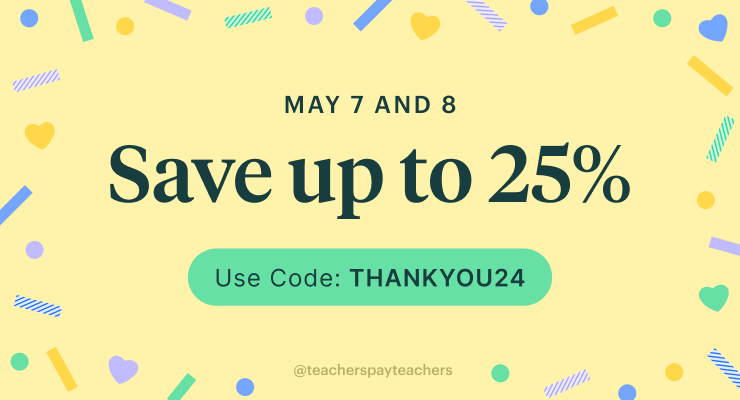
Join me for the TeachersPayTeachers upcoming Back 2 School sale, use BTS20 to save up to 25% off starting this Tuesday!

Download for Facebook - 740 × 400

Monday, August 22, 2016

New Watercolor Borders for TeachersPayTeachers


Three new borders for TeachersPayTeachers.  All are hand painted with watercolor.  Available in my store, "Watercolor Borders".  

Patrons who pledge +$3 per month will receive these as part of their rewards, as well as everything in my Patrons only feed.  Monday, August, 22nd is the One-Day Sale on TpT.  All my items will be 20% off, including these!

These can be used in personal/commercial art projects as well as your TpT products and class materials.  Full permissions is granted, for everything other than redistribution as is.  Hi-res scans and png images are included of each.  These can be enlarged by 200-300% without loss of quality.  May be suitable for poster sized printing.

For art class, try printing these on watercolor paper if you are able.  Test your printer ink for smudging once it is completely dry.  Sometimes, heat setting will prevent printer ink from bleeding.  It may have a desirable effect.

Possible uses: Class fliers and worksheets, classroom posters, bookmarks or hall passes (add text and laminate), task cards, use online for digital layouts, and more.  These can be printed at smaller sizes to be used as digital stamps in your art projects.  Just reduce the print sizes and add text/etc you like, print, cut out and add to your collages and greeting card embellishments.

Available on TpT or Patreon

Tuesday, August 18, 2015

Bonus Sale on TpT

One day only!  Bonus Sale for August 19th, 2015.  Sitewide sale, perfect time to get extra curriculum readied.

My store will be 20% off all items.  Visit Gillian Ivy Chasing Grades on TpT.

As I create new assignments for Chase, I plan to upload more products to my store.  I hadn't updated in quite a while, just enjoyed my summer vacation...  But didn't really prepare.  I decided to start school next Monday instead of tomorrow like his original school's schedule is.  I'll need to adjust the calendar to reflect these changes, as that makes the end of the school year three days longer.

I saw wonderful tip, for the first two weeks of school, go over daily routines and procedures.  Perhaps this will help cement them in myself.  Kevin will be splitting some of the lesson plans with me, unlike last year, which was all me.  I got completely burned out.

Patience.  Breathe deep and relax.  Think I'll need a mantra.

We've ordered our books.  Trying DK Publishing's 3rd Grade workbooks.  They appear to have great ratings on Amazon.  I'm eager to check them out.  Perhaps I'll write a review once we've received them.  They'll possibly arrive on Monday.  Got my fingers crossed.  I've added the new workbooks as well as some of my wishlist items to my Chasing Grades Amazon Associate Store.  Support my homeschool by purchasing your workbooks and more through our school store.


I do have a duplicate workbook, BrainQuest Grade 2, from last year that was given to me.  I think I'll hold a giveaway for this.  Don't know how much it would cost to ship it.  I'll have to inquire at the Post Office.  I've set up a Rafflecopter thing for this.


a Rafflecopter giveaway


Tuesday, August 5, 2014

Place Value on Sale "BTS14"


I've just added a new item to my TeachersPayTeachers store in time for the Blast Off Back to School sale.  Use the promo code "BTS14" for 20% off savings!  The new listing is Party Favors Place Value Flapbooks, a foldable for math interactive notebooks.  This is aligned with the common core standards 2.NBT.1, 2.NBT.1a, and 2.NBT.1b.

This set features my Party Favors Clip Art, which is available free to use on my TpT site.

Blast Off Back to School Ends Soon!

Only 7 hours left to save on TeachersPayTeachers' back to school sale. 

Save on EVERYTHING from Aug 4-5!

Sale runs Aug 4, 12:01 am ET - Aug 5, 11:59 pm ET

Here's How It Works:

  1. Use promo code BTS14 for 10% off everything except gift certificates and purchases made with PO
  2. Save even more with Sellers who join the sale for up to 28% off of resources!
  3. Fill your cart! Sale is ON Monday Aug 4, 12:01 a.m. ET through Aug 5, 11:59 p.m. ET

You must enter promo code: BTS14
when you check out to save!

Sunday, August 3, 2014

TpT Revamped - New Items + Freebies


New Products and Sale!

I've updated all my listings to match the style of Chasing Grades.  And added a few new listings, one for purchase and two freebies.  The first here is a set of Scratcher Tickets/Reward Coupons.  The Scratch Tickets are only $2, but tomorrow they go on sale!  Everything will be 20% off the already low prices on August 4th&5th for TpT's Blast Off Back To School Sale.  Scratch tickets are a really fun way to give out mystery prizes to be won.  And it's super easy to make.  All you need is packing tape, acrylic paint and a bit of dish soap.  Nothing fancy.  Of course, you could buy scratch stickers to save time.  Here's a nifty video to do the do-it-yourself method.  I've just added an Amazon Associate's Store to my blog.  I'll be adding useful school things and suggested buys there.  If you buy through Amazon.com, using my referrer code benefits our homeschool.


What's New?

I've been tailoring an Amazon associate's store to coordinate with this blog.  Actually, I've been slowly making my entire web presence in this theme.  It's my favorite CSS design so far.  Reminds me of crushed velvet.  I may add more fancy embellishments to the layout later on, but I like the simple layout.  Not too cluttered.  

So all my listings on TeachersPayTeachers also have this look.  I think it looks a lot more pulled together.  The paper pack still has the same thumbnail, but I think I'll keep all paper packs like that.  Just a band around it with the blog name.  I hope it is not confusing that the blog name is "Chasing Grades" but the store is GillianIvy.  I made the store before the blog.  And my entire web presence can be found by searching for GillianIvy.  So for those interested in my art and social networks, they can easily find me.

Are These the Freebies You Were Looking For?

Sorry for all my long-winded chattering, at long last, here are the free things.  I had these tucked away in a folder for a long time and they just needed preview images!  Silly me.  So, I've given them the makeover and put them up in my TpT store.  

The first is a handy Homeschool Verification Card.  Just write in your homeschool identification number and your info, then laminate the card to keep in your wallet.  Then you may use it when you're shopping at places that offer teacher discounts to homeschoolers.  I know JoAnn Fabrics does and they actually have a surprisingly wonderful selection of teaching accessories.  I was amazed by all they have in their store.  I had been looking through office stores and Walgreen's, etc to try to find these locally, so it was great to find them there.

And the second is a creative writing exercise featuring our cat, Xander.  He rolls onto his back and sometimes snores and his lil' paws twitch when he sleeps.  What is Xander's Dream?  This was made to acompany the mini-book X is For Xander, which Is the first item shared in my TpT store.  I've meant to share this a long time ago, but hadn't gotten around to it.  Wanted to have my store stocked in time for the Back to School say which is starting tomorrow!

I have a policy to keep all my items cheap.  Since they are digital products, it costs me nothing to reproduce.  The lowest I can price items and receive profit is between $1-$3.  I will be trying to keep all my  items within that price range.  They are all hand drawn by myself.  The paper pack is designed from my own stock textures.  A lot of time has been put into the creation of all of my merchandise and I hope it shows with the quality of my products.  

I am still new to sharing my work digitally, so I don't always know the best method for compiling the files pdf or zip packs...  I like the pdf files best.  But I use GoogleDrive to make them and it isn't as easy that way.  I plan to be making a lot more resources, clip arts and texture packs as well as Interactive Notebook worksheets, so follow me on TeachersPayTeachers to get updates on my new listings.  And I'll definitely be adding more freebies ;D


Sunday, July 13, 2014

Art Card Homeschool Fundraiser

Besides offering a coupon for 25% off in my Miscellaneous Juxtapositions Etsy store, I have set up a donation button through PayPal.  To everyone who donates $10+ I will mail an original Artist Trading Card.  Donations of $20 or greater will receive an original Art Card, plus a print and a laminated art print bookmark featuring my art.  The goal to get majority of the most needed items on the School Supplies List is close to $200, not including shipping.  If we have to make several separate shipments, I guess we could expect close to $50 in shipping expenses if they don't qualify for the Super Saver shipping.  We would like to purchase things in $30+ transactions to try to get the discount.  I'll say our goal is $300.

Miscellaneous Juxtapositions


Use the code "Back2School" July 13-Aug 18

The art cards will be chosen randomly, but I have several series available.  You can request a series, if available, I'll send it.  An Artist Trading Card is a miniature work of art.  Measuring at 2½"x3½", the same as a baseball card or other collectible.  They can fit into a standard card protector.  ATC's are rather popular, so there are even displays and frames for these sizes.  They can be any medium, just generally thin enough to fit in a sleeve.  There are even ATC sized canvases which can be mounted, framed or displayed on a miniature easel.  I love collecting art almost as much as making it.

Ripple Sketches - A series depicting the impact of oil spills on marine life through sushi, brocade and origami styled imagery.  This was originally created as part of a charity event, which is no longer accepting donations.


Frederick's of Hollywood - Collage and acrylics from a lingerie catalog.  Collage was something I always enjoyed, and as a young artist I would draw on magazines, altering the models.  This is reminiscent of that style but evolved.

Gel Pen - Only one remains of this series, a Golden Sun on black cardstock.

Mother's Day - Only one left in this series, a remembrance to missing and exploited children as a moment of silence for their mothers and families.

Fae series - An illustrated series with patterns and swirls and beautiful sprites, only two remain from this collection.


Hearthstone Cracked - This is my latest collection of Hearthstone cards.  The characters from the game take on a humorous spin.  They are available exclusively through my TwitchTV channel GillianIvyArt

** Hold on Amazon Wish List **

A generous friend is donating several boxes of school supplies which covers much of what is on the list.  If you wish to buy anything, please contact me first or a gift card instead.  I will be updating the goal/list once the items arrive.  It will clear a huge chunk out of the list.  Thank you (name withheld pending approval), your contribution is amazing and means so much to me.  I'm super excited and working hard on getting class ready.  I've been filling up my Pinterest board with tonnes of great resources and ideas.

Fundraiser for Chase's Homeschool

$160/$300


Monday, September 23, 2013

Velveteen Digital Paper Pack

Velveteen Digital Paper Pack on TpT
Velveteen is the new digital paper pack now available in my TeacherspayTeachers store.  This features 8 richly textured 12x12 papers.  Each are 300dpi, suitable for printing or digital layouts.  These papers have a gothic/steampunk influence.  The textures come from my own stock, combined to make a unique texture.

Creating Seamless Textures 

I used 4 stock textures I've made to create a layered effect.  First, I made each texture into a seamless pattern in PhotoShop.  There's two ways I generally do this, usually I can get away with the easier method.  I open my file in PS and create a copy from the background layer so I have my original to work from.  I make a second copy.  On the top layer copy I go to filters and choose Offset.

I go 50% on both axis or one at a time is easier, since I may repeat these steps several times to get a smooth texture.

So easy no hassle method...  I use this for textures that the lines are not precise and can easily blend.  We just need to get rid of the edges.  I click on my layer, which now has a sharp line (or two) visible in the center.  I use a rectangle selection tool to select that area, then invert my selection.  You can feather the selection at this point, however the gradient isn't very smooth.  Then click the Layer Mask icon at the bottom of the layers panel (or go to the Layer menu to add a mask).  This will make a big gap in the middle where the line once was, and you will see the layer below.  Now we will need to smoothly make a gradient.

Use the gradient tool with the gradient set to solid to transparent.  Select 'reflective' to do just the edge, and shift+drag your tool across the edges of the masked area.  Use white to reveal and black to hide.  Blending should be smooth so you cannot see any sharp edges.  You can now merge copy 2 and copy 1.  If you did horizontal and vertical separately, then duplicate your layer again and offset and mask and blend.  Otherwise, your layer should be completely seamless.  You can run the offset again to test this.

To set it as a pattern, simply go to the Edit menu and select "define pattern".  Name your pattern something easy to remember.  You can go into the preset manager later to remove or save your patterns.  I no longer need this work file and do not save any changes, I just close it and go to my digital scrapbook page instead.
Create a new file, 12"x12" at 300 dpi for printing.  I like to work on a transparent bg, but it really doesn't matter for our purposes.  I create a new layer for each texture and name them accordingly.  Simply fill each layer with the patterns I created and it will fill to the size of the document.


Preparing the Digital Paper

I've desaturated each layer so I won't have any strange coloration effects when I add my colors.  As you see by the names of each layer, you can find some wonderful textures on everyday household items, so long as you have either a good camera or a decent scanner to pick up all your bumps and patterns.

Tiling patterns work best with a large image to avoid repetitive patterns.  The dryer sheet was a small file, so zoomed out, it's pattern is discernible.  Ideally, you will not be able to notice any patterns.

I adjust the layer blending style for each layer as I see fit to get the effect I want.  Adjusting opacity and layer orders.  I have them all i n a group so I can duplicate the entire group, hiding the originals.  I always do this to avoid mistakes.  Also, save often.  Now is a good time to.

Adding Color Effects

Now, here comes the fun part.  Adding color and effects.  I do this via the fill or adjustment layer button beside the layer mask button.  It looks like a half white, half black circle.  This pops up a huge menu of choices, but we'll just go with a solid color.  It gives you a color picker, or you can input the hex code for your color.  The whole screen will turn that color.  Choose color blend from the blending options to make the bottom layers your new color.  You may need to adjust opacity or switch to a different blend mode if the effect is not what you are looking for.  Repeat this with any other colors, toggling the visibility off of previous color layers.  In my example below, I added a brightness adjustment layer to lighten up some of my dark greys.  I also made some gradient color splash layers for an added effect.  You'll see the layer mask for these have white to black gradients.

Finishing Touches

Now, go ahead and save again for good measure.  And make a duplicate of all your visible layers used for each paper and merge the duplicates.  Repeat for each version.  I have 8 versions in my example.  I wanted to add a vignette to the edges, which I did a very simple one.  I added a new adjustment layer above all the layers, set to exposure.  I added the gamma and subtracted the exposure.  Then I selected my entire document and shrunk the selection a bit for a nice border.  I feathered the selection and filled it with black to clear out the center, leaving only the edges.  I came in with a brush to add/subtract as I wanted, then blurred it for a smoother effect.  Once finished, save your PSD again.

Saving the Papers

Toggle on the paper you wish to save and hide the rest.  Choose "Save for web" instead of regular saving.  This gives you an optimized file size that is still high quality.  If you were printing enlargements, you could just save each as a jpg, but I prefer to optimize.  Choose jpeg, quality should be the minimal 'high' setting and optimized.  You'll see the file size in the preview window.  Click save and name your file.  Repeat for each paper.